
How to Size your Stickers
November 7, 2023
How to Size your Stickers?
Picking a size for your stickers can be a hard choice. Whether you're artist with your own originals or using our sticker designer to help put your many ideas into place — once you have the design, the next question is What Size?
Here's some ideas to help you decide what size to make your adhesive artworks!
Many Stickers Shape Templates
If you're making circle or square stickers from our customizer, you can download our Shape Templates! Our preview sizes are available in Squares or Circles. Print our Shape Templates to get a better idea of what size your sticker will be. You can cut them out to see how big they'll look on your water bottle, car, laptop, or as many places as you can imagine.
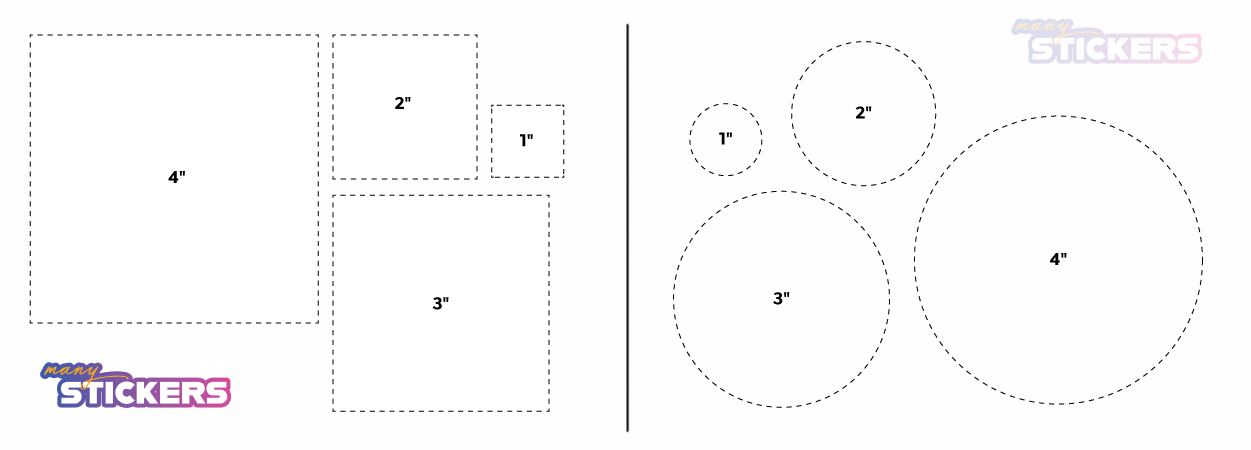
Make sure your print settings are set to Actual Size when using the templates, otherwise your print outs won't be true to size.
Measure your 'Canvas'
If you're designing a sticker to put on a specific object or in a specific place, you can use a ruler to measure out the area.
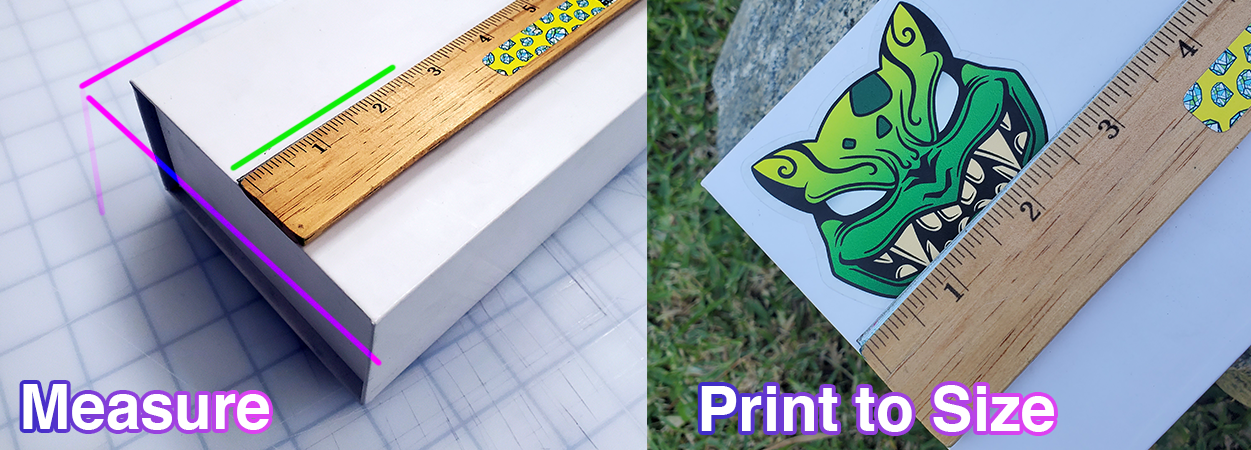
This will let you know the largest or the smallest you can make your sticker in width or height. You can decide how much of the space you want your sticker to take up.
Print your
artwork
If you already have the artwork ready, and you know how to size your stickers.
You can print out a 'test' sheet with the art at different sizes. Compare, and
see which sizes look the best to you.
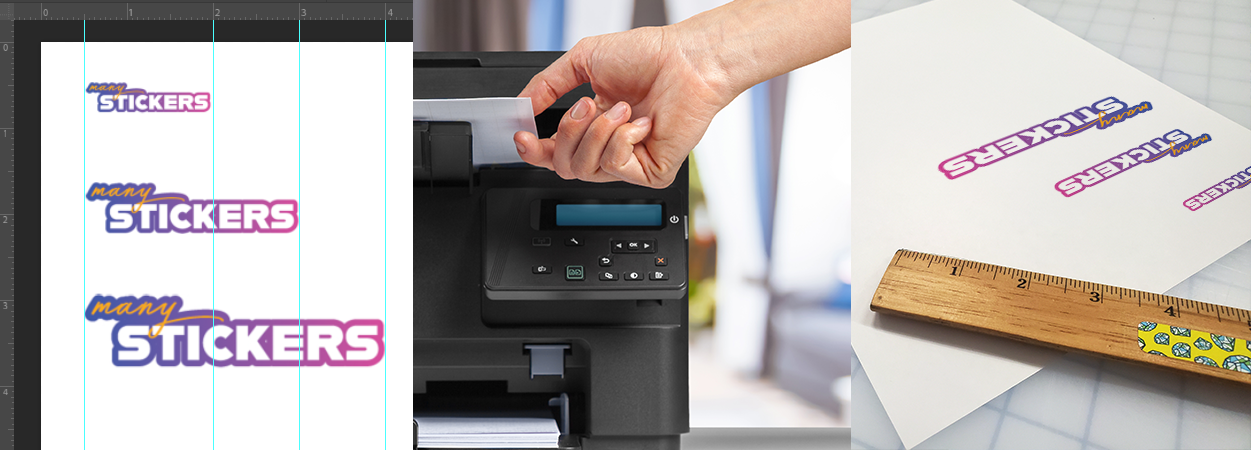
You can even cut them out, and get an idea of how they will look as stickers.
Even if you can't size your stickers for print to the exact measurements, you can lay out a
canvas with multiple sizes, print it out, and pick which one looks best to you.
Then measure your favorite size printout with a ruler to see what dimensions you need made.
We hope this helped with sizing your stickers! And we can't wait to see all the many stickers you will create!